Fachbibliothek Mathematik
Universität Bonn
Endenicher Allee 60
53115 Bonn
Fachbibliothek Mathematik
» Literatursuche » Benutzerkonto

Benutzerkonto (?)
Falls Sie einen Benutzerausweis besitzen, stehen Ihnen verschiedene Zusatzfunktionalitäten im bonnus-Suchportal zur Verfügung. Zur Nutzung dieser loggen Sie sich beim Benutzerkonto ein:
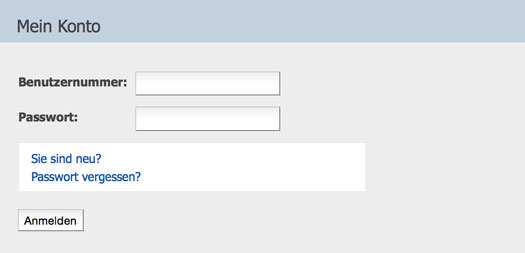
Nach erfolgreichem Einloggen können Sie auf die verschiedenen Zusatzfunktionalitäten zugreifen: Merklisten, das Abspeichern von Suchen, eine Liste der ausgeliehenen Medien sowie angefallene Gebühren.
- Bitte ändern Sie Ihr Passwort in regelmäßigen Abständen um einem Missbrauch vorzubeugen. (Mein Konto » Persönliche Angaben » Passwort ändern)
- Bitte vergessen Sie nicht sich nach dem Gebrauch des Benutzerkontos auszuloggen. Dies verhindert, dass andere Leute auf die Funktionen Ihres Benutzerkontos zugreifen können.
Mein Konto » Merklisten
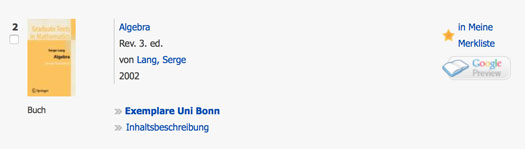
Sie können Publikationen in die Merkliste hinzufügen um diese später wiederzufinden. Dazu führen Sie eine gewöhnliche Suche im bonnus-Suchportal durch und klicken dann auf den Link in Meine Merkliste der entsprechenden Publikation:
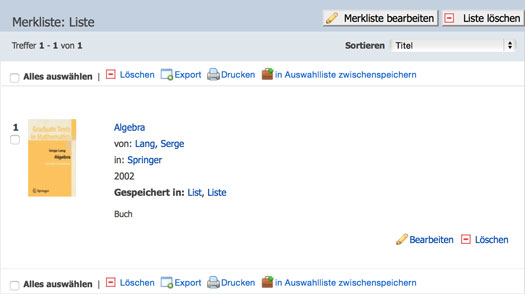
In der Merkliste sind nun alle Publikationen gesammelt, die Sie der Merkliste hinzugefügt haben:
Mein Konto » Meine gespeicherten Suchen
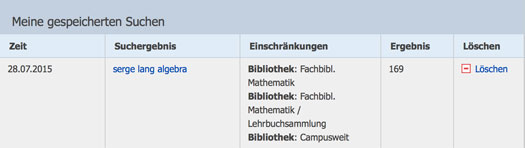
Sollten Sie eine Suche zu einem späteren Zeitpunkt wiederholen wollen, so können Sie diese abspeichern. Klicken Sie dazu auf den Button Speichern der entsprechenden Suche:
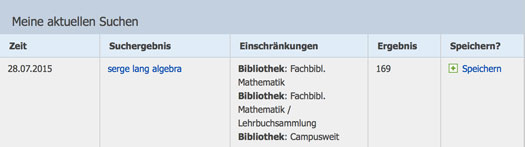
Um eine gespeicherte Suche nochmals auszuführen, klicken Sie auf den Link in der Spalte Suchergebnis der entsprechenden gespeicherten Suche: